Python3
Figure 1: python3 macOS Downloads Page
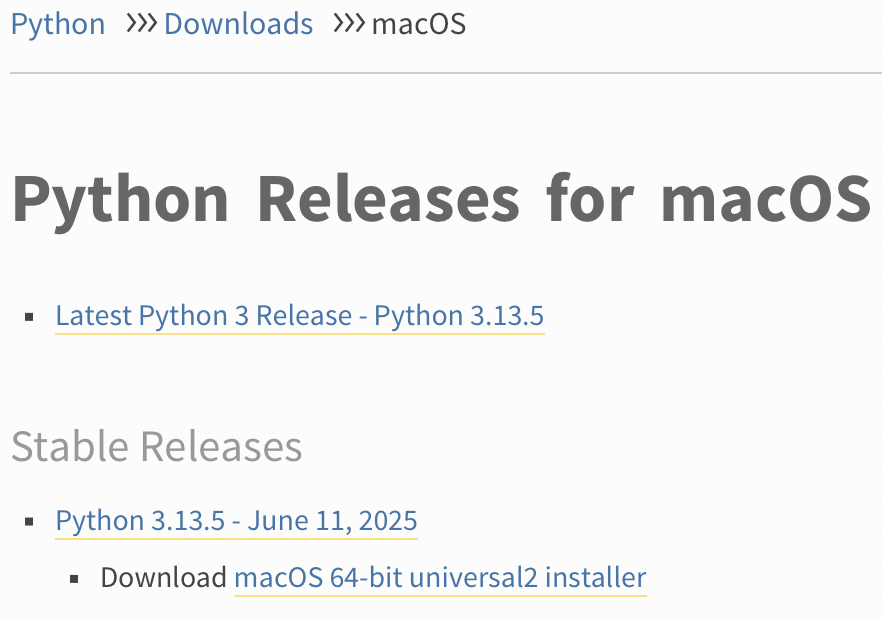
Step 1: Download and Run universal2 installer
Download the latest, stable, universal2 installer. Open the installer from the $HOME/Downloads directory. Follow the prompts to complete the installation. The installation will include python3 and pip3.
The /Library/Frameworks/Python.framework/Versions/3.13/bin directory, created by the installer, will be added to the $PATH automatically. The macOS system python3 is located in /usr/bin.
Next, install pipx. Unlike pip3, which installs python3 packages system-wide or manually via user managed virtual environments, pipx installs python3 CLI tools in isolated environments automatically. This prevents tool and system dependency conflicts, and tools installed with pipx can be run directly from the command line.
Step 2: Install pipx
pip3 install pipx
Tools installed with pipx will be placed in their own virtual environments within ~/.local/bin. This directory needs to be available in the $PATH in order to run tools from the command line.
Step 3: Add ~/.local/bin to $PATH
pipx ensurepath
📝 Changes can be viewed in both the $HOME/.zprofile and $HOME/.zshrc files with the $PATH update.