PostgreSQL
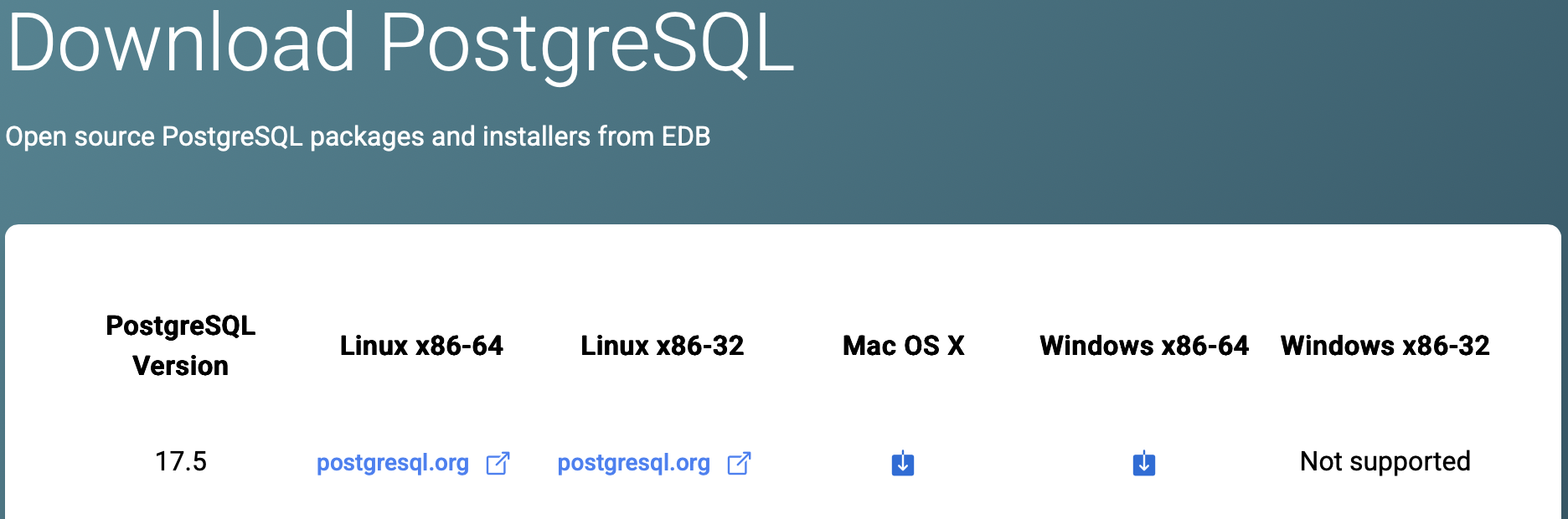
Step 1: Download macOS X Installer
The Mac OS X installer is universal and supports arm64 (Mac Silicon) architectures.
Figure 1: PostgreSQL Downloads Page
Step 2: Open and run .dmg
The installer will be available at $HOME/Downloads. Open the .dmg and follow the prompts to complete installation.
📝 Administrator privileges are needed to complete installation
Figure 2: PostgreSQL Default Install Location
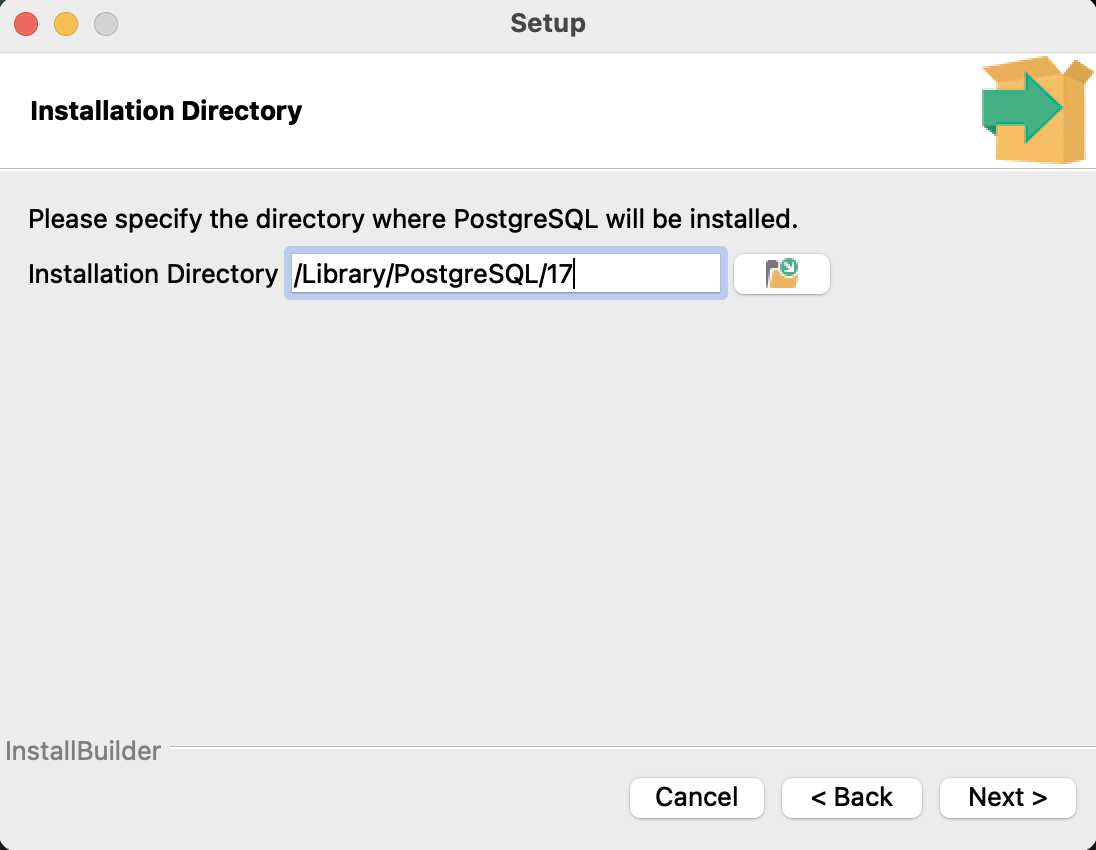
Figure 3: PostgreSQL Components
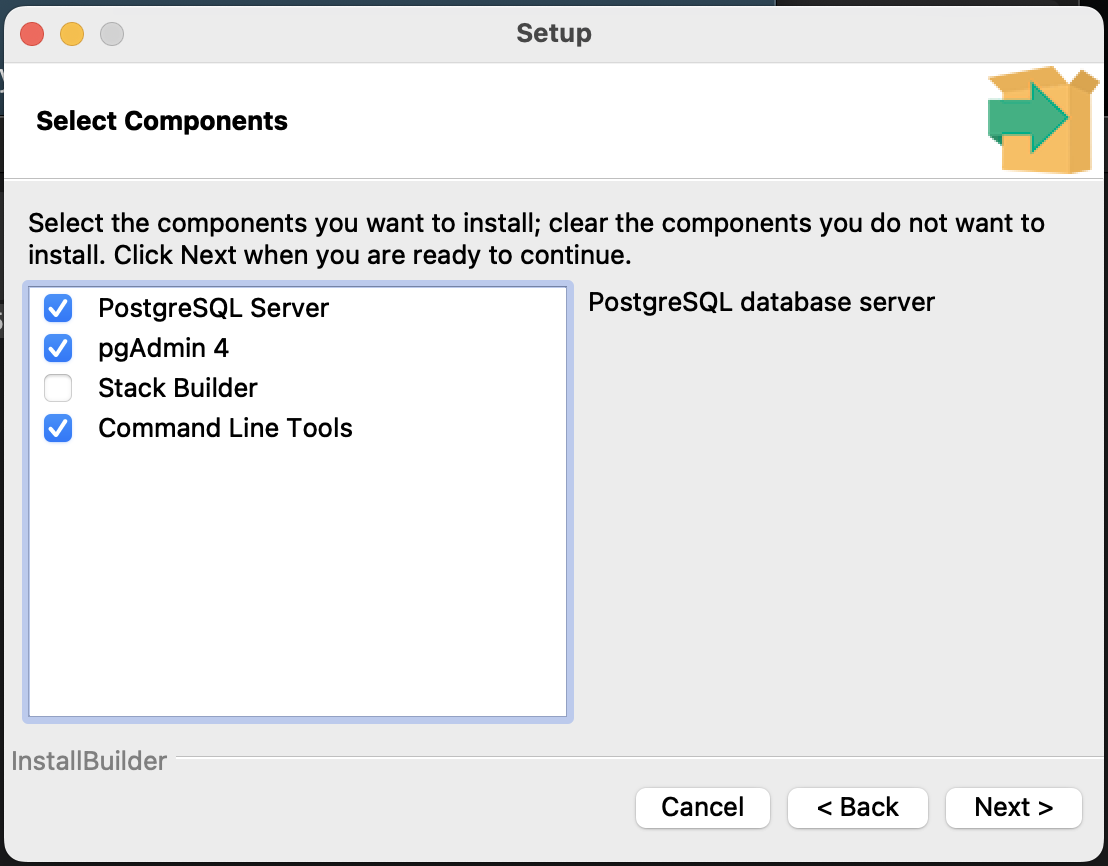
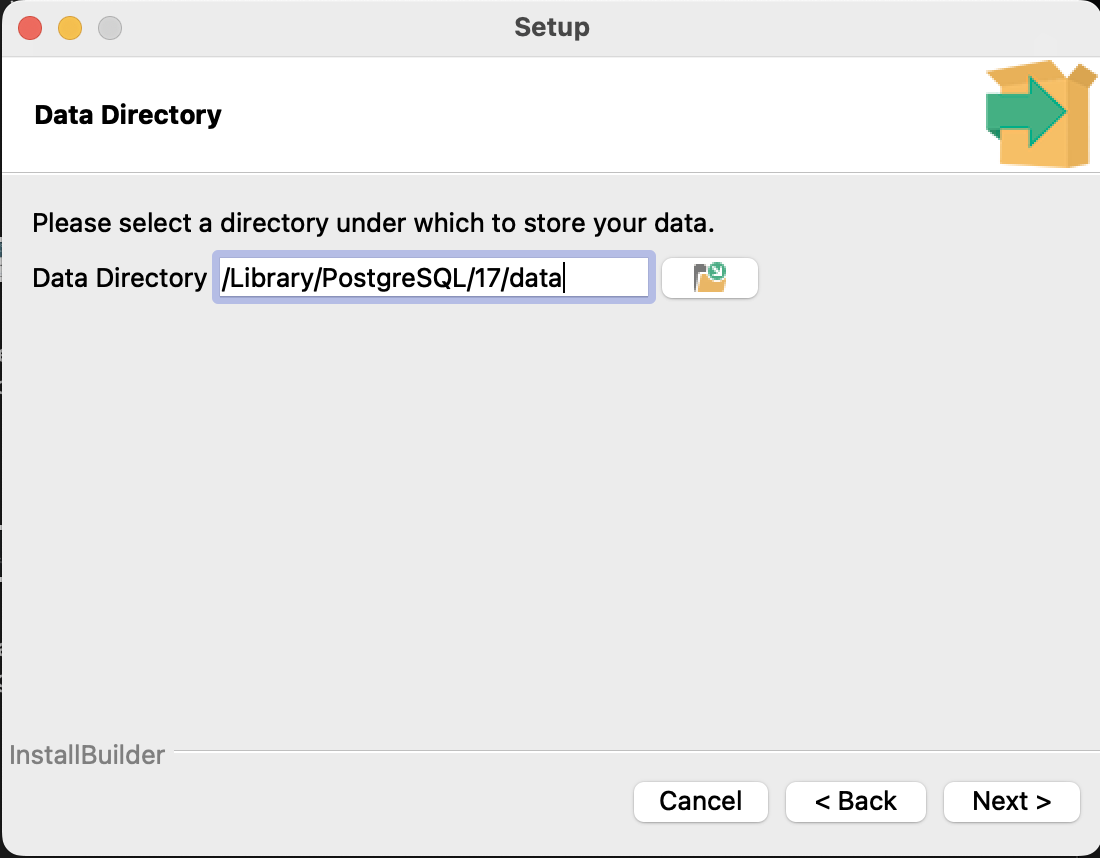
Figure 4: PostgreSQL Default Data Location
For the remaining installation prompts: create a strong password for the postgres superuser, use the default postgres listening port 5432, and use DEFAULT locale setting. After all the aforementioned details are provided, the installation will complete.
Step 3: Add psql to $PATH
Add the following lines to $HOME/.zshrc
# Created for 'PostgreSQL Version 17.5'
export PATH="/Library/PostgreSQL/17/bin:$PATH"
Step 4: Verify psql version
psql --version