ligolo-ng
Step 1: Download agent(s)
📝 The agent is run on target systems.
📝 Download appropriate architecture based on target machine specifications
Download will be available in $HOME/Downloads directory. Move architves to appropriate working directory.
📝 agent is meant to be downloaded to, and run on, the target machine for proxy to create a session.
⚠️ Extracting agent releases does not create new directories. Additionally the file names are generic and hard to distinguish. It is recommended you update the agents with identifiable naming conventions.
Step 2: Download proxy
📝 The proxy will only ever run on our machine
📝 Architecture Required (Apple Silicon): darwin_arm64
Download will be available in $HOME/Downloads directory. Move archive to appropriate working directory.
tar -xvf ligolo-ng_proxy_0.8.2_darwin_arm64.tar && rm ligolo-ng_proxy_0.8.2_darwin_arm64.tar
⚠️ Extracting the release does not create another directory. proxy will be available for use. Update directory structure accordingly.
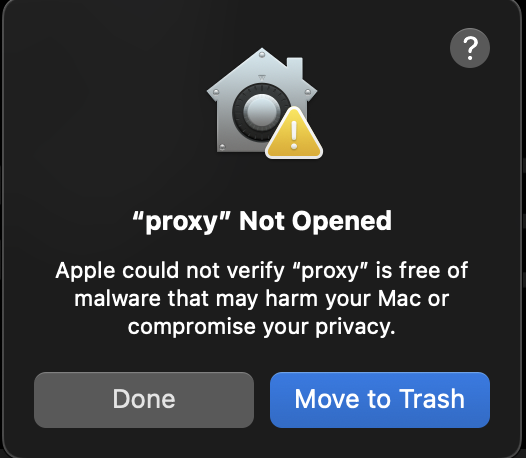
❗️ Running proxy may trigger a quarantine by macOS. This quarantine will have to be removed in order to use proxy on your machine
Figure 1: proxy quarantine alert from macOS
# Remove macOS quarantine designation for proxy
xattr -d com.apple.quarantine $HOME/opt/ligolo-ng_proxy_0.8.2/proxy